Today we will briefly talk about how to configure the minimum TLS version and elliptic curves Istio shall use.
By default, Istio requires TLS 1.2 as the minimum version and uses Envoy’s default elliptic curves, X25519 and P-256. We can verify this by running the SSL Server Test from Qualys SSL Labs.
-> https://www.ssllabs.com/ssltest/
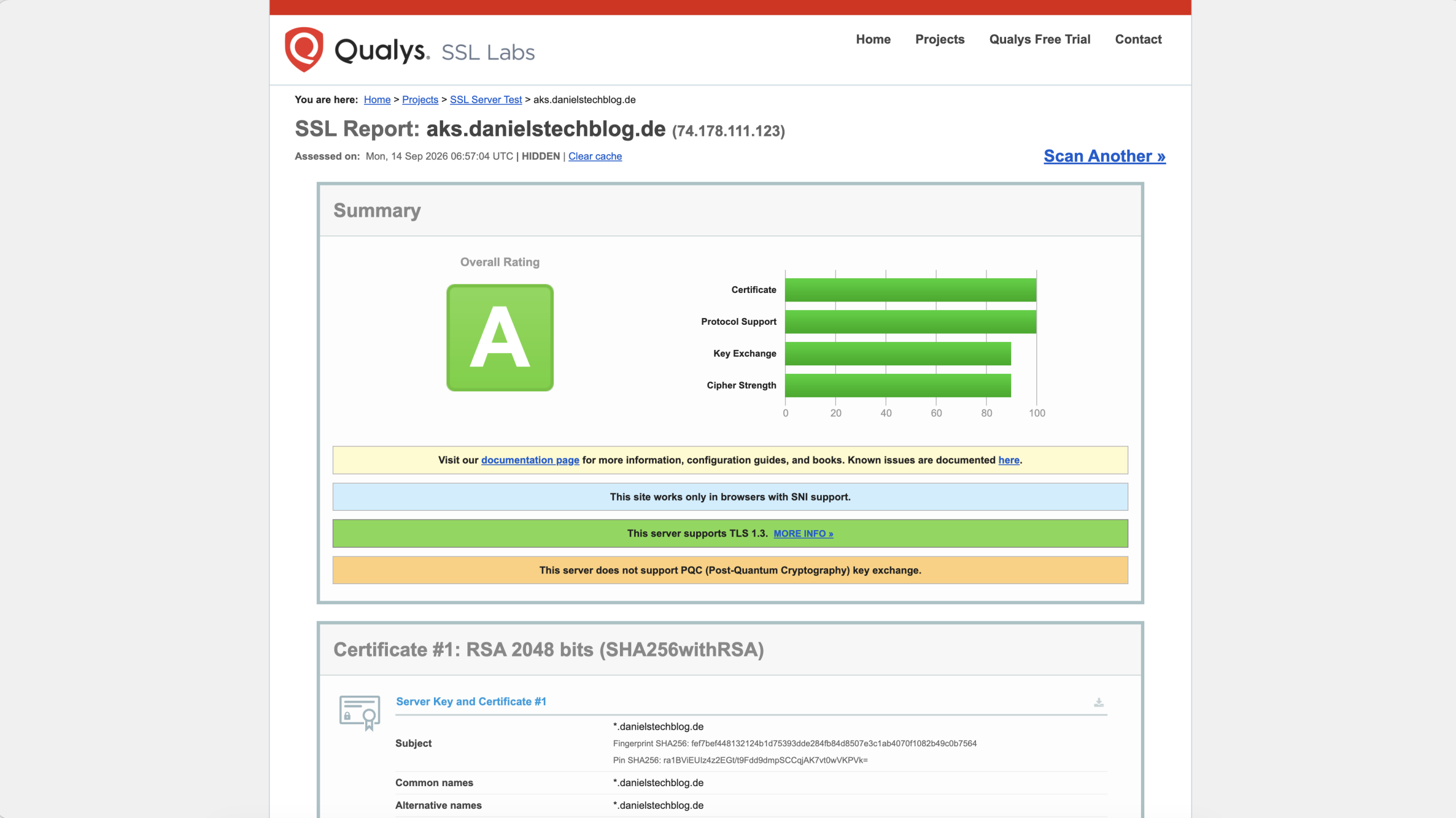
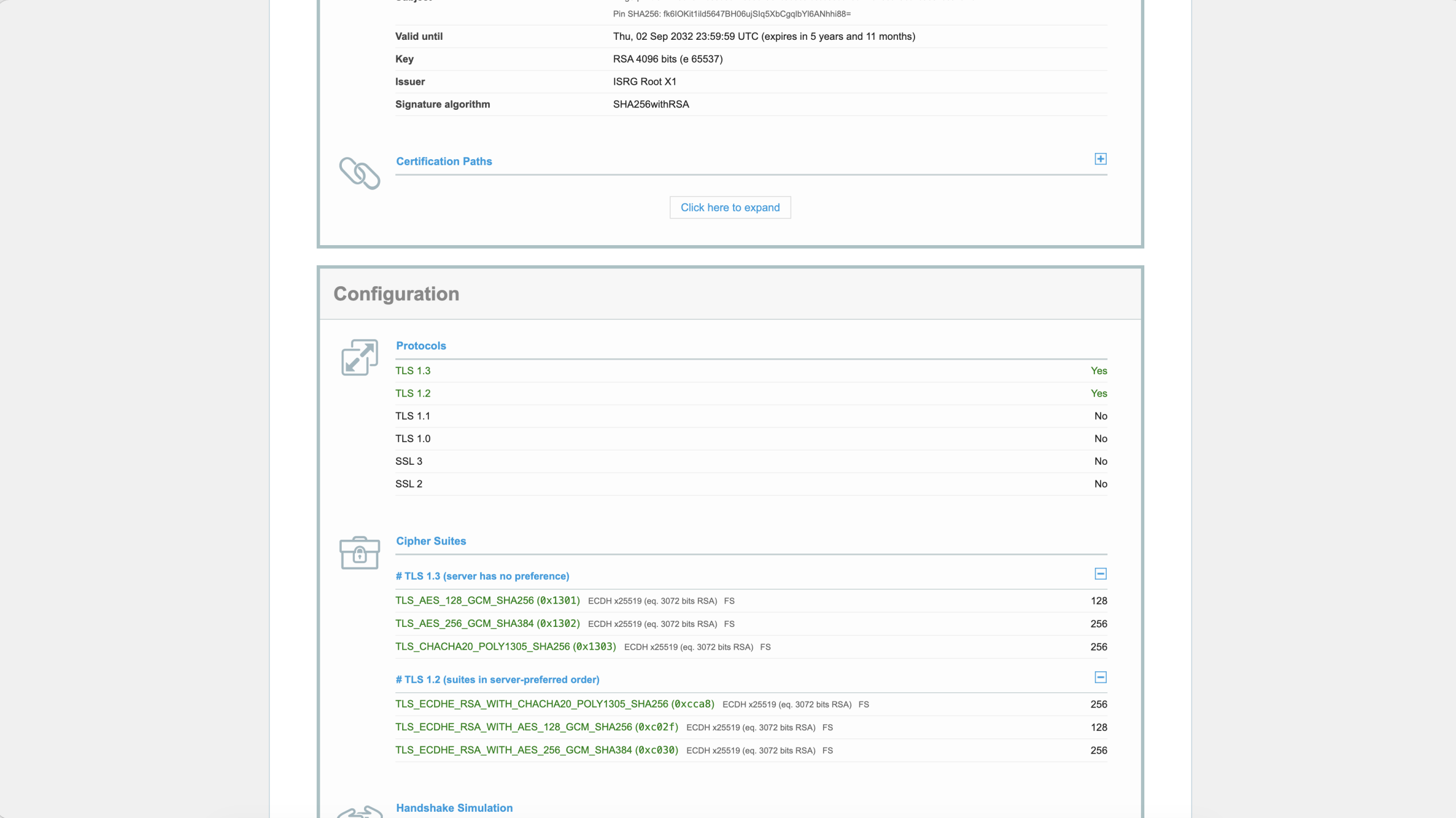
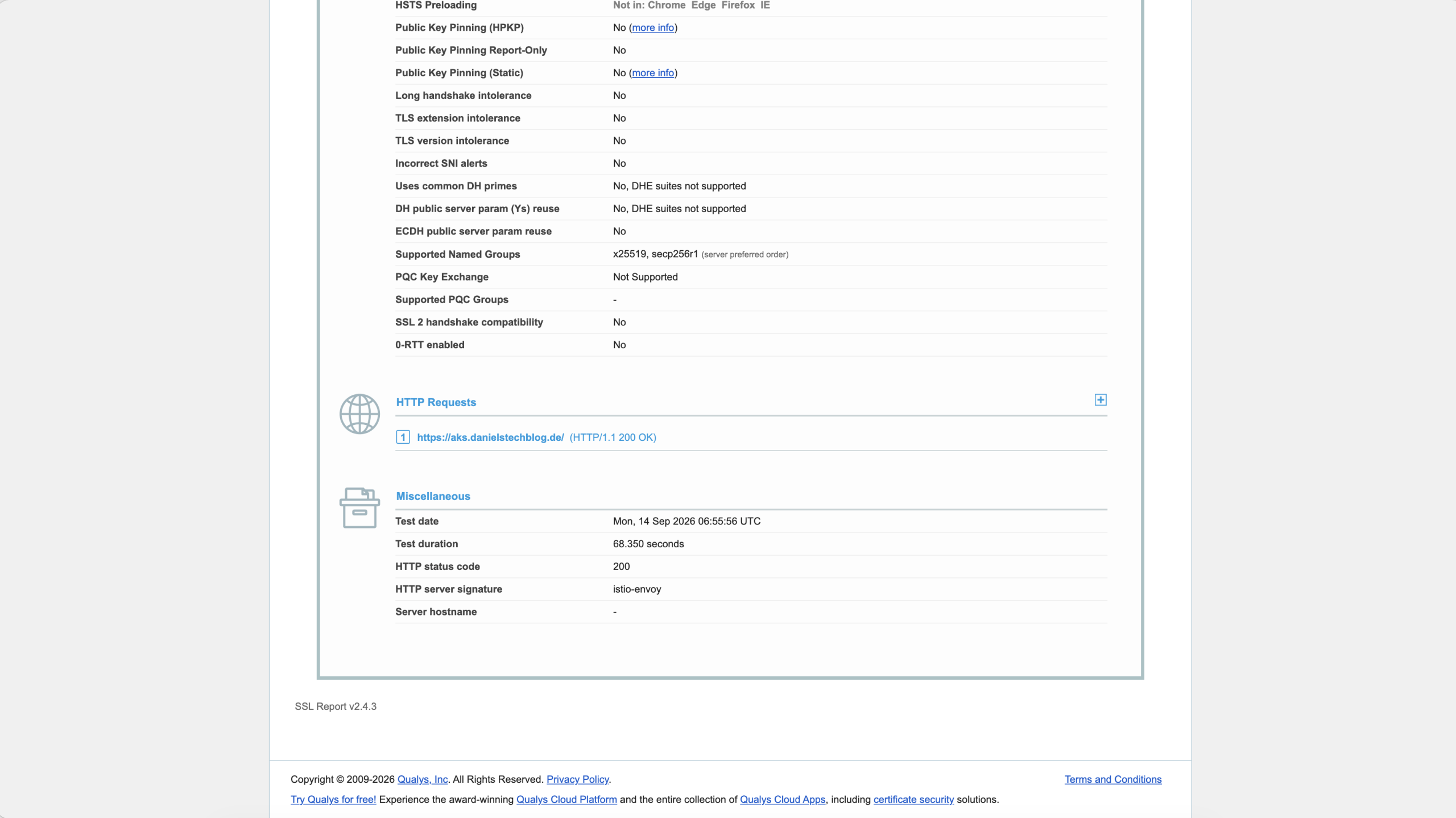
But what if we want TLS 1.3 as the minimum version and would like to offer and use a post-quantum cryptography (PQC) elliptic curve like X25519MLKEM768? How do we do that?
Well, it is hidden in Istio’s documentation under the MeshConfig reference config section.
-> https://istio.io/latest/docs/reference/config/istio.mesh.v1alpha1/#MeshConfig
Under the meshConfig, Istio offers two configuration options:
- meshTLS for setting the minimum TLS version for the service mesh in ISTIO_MUTUAL traffic scenarios
- tlsDefaults for non ISTIO_MUTUAL traffic scenarios like ingress traffic via the ingress gateway or egress traffic to external systems.
One important note to make here: meshTLS does not respect the elliptic curve configuration.
Below you see an example configuration for Istio that sets the minimum TLS version to 1.3 and adds X25519MLKEM768 as PQC and preferred elliptic curve.
apiVersion: install.istio.io/v1alpha1
kind: IstioOperator
metadata:
  namespace: istio-system
  name: istiocontrolplane
spec:
  components:
  ...
  meshConfig:
    meshMTLS:
      minProtocolVersion: TLSV1_3
    tlsDefaults:
      minProtocolVersion: TLSV1_3
      ecdhCurves:
        - "X25519MLKEM768"
        - "X25519"
        - "P-256"
After a successful rollout, we use the SSL Server Test again to verify the Istio configuration.
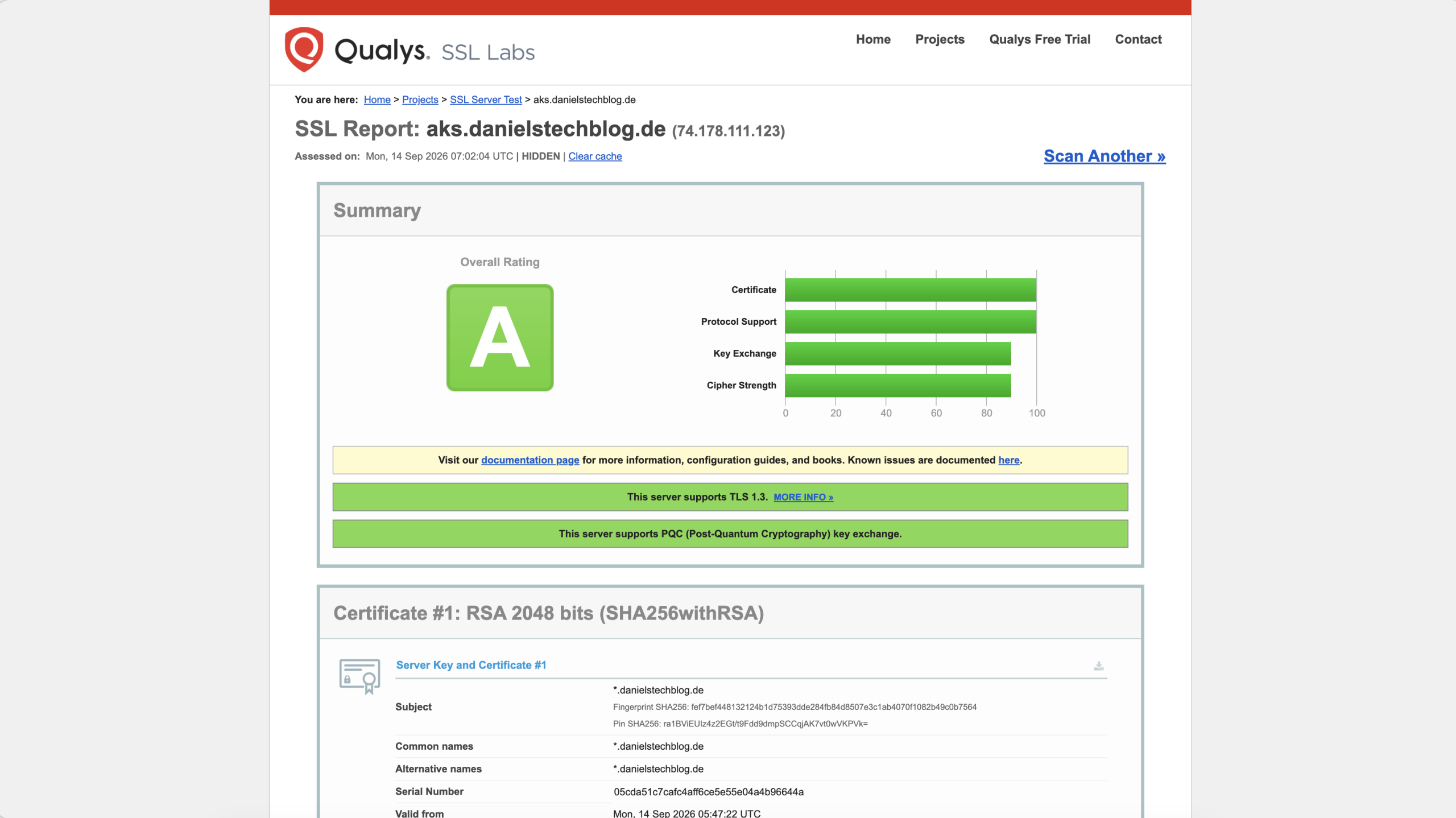
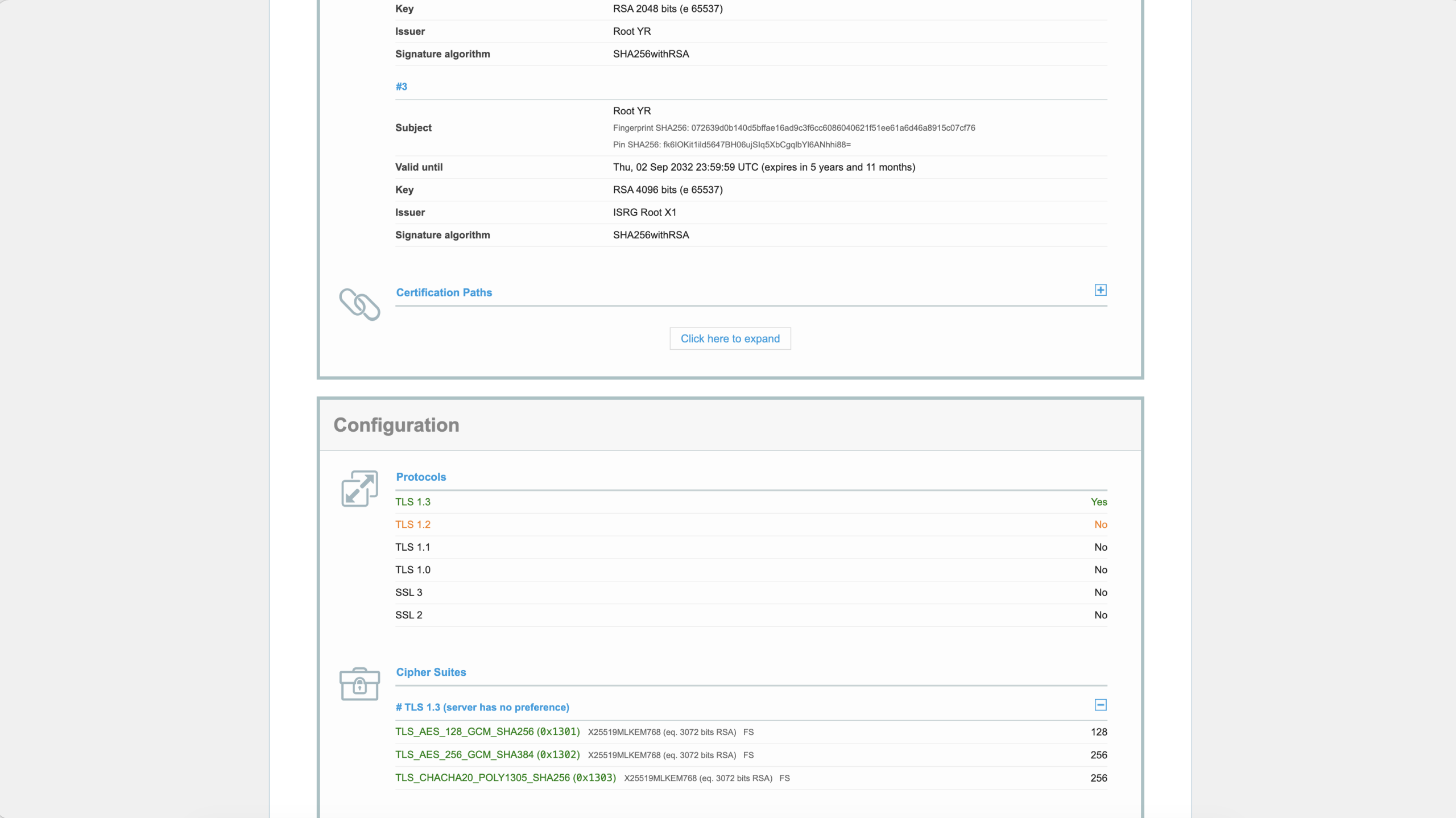
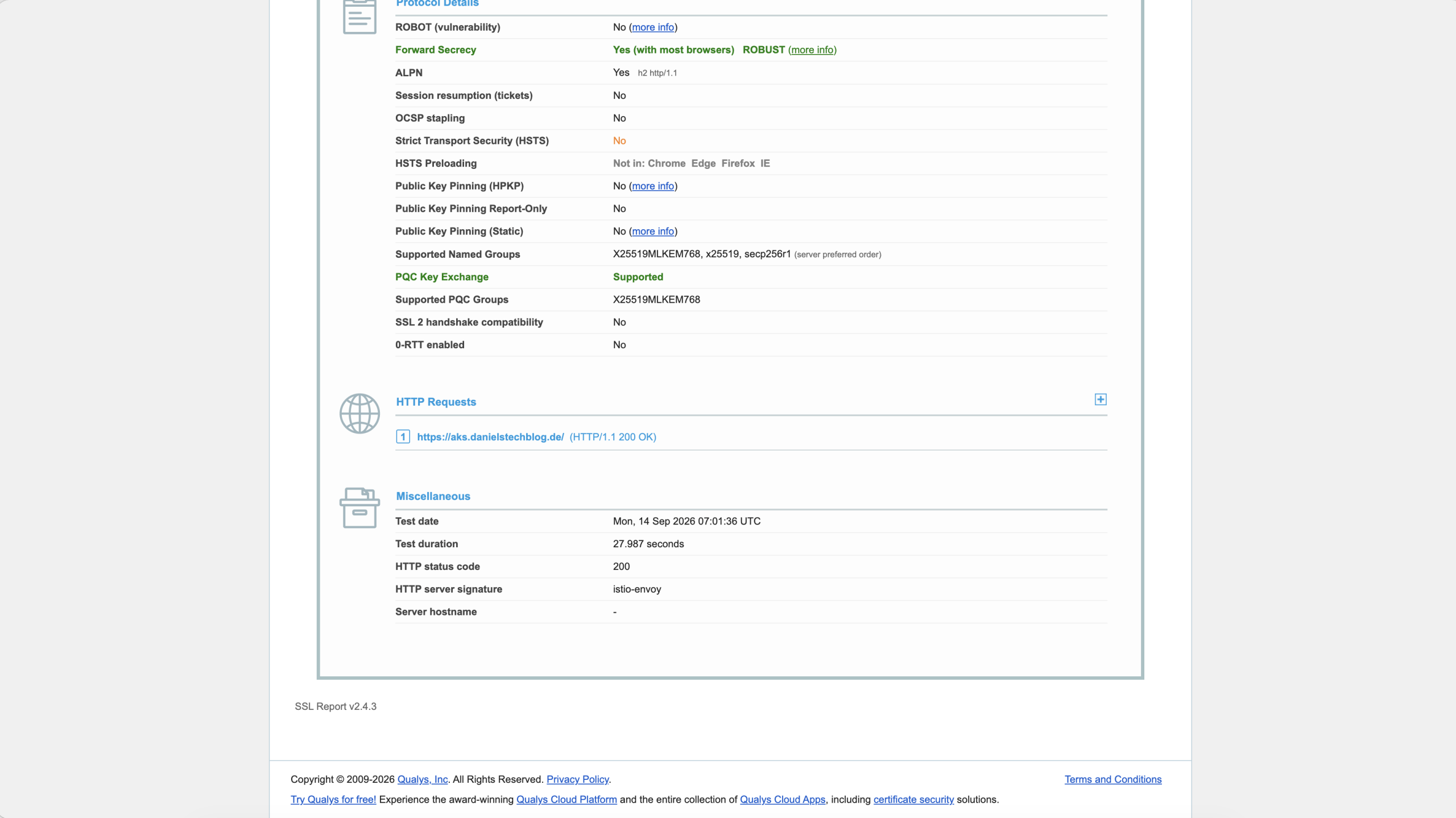
As seen in the test results above, this Istio installation requires TLS 1.3 and offers PQC support.